.png&w=3840&q=75)
.png&w=3840&q=75)
.png&w=3840&q=75)
%20(1).png&w=3840&q=75)
.png&w=3840&q=75)
.png&w=3840&q=75)

StarWalls: A Modern Space Photo Wallpaper PWA
Discover the cosmos with stunning NASA imagery, perfectly framed for your device.
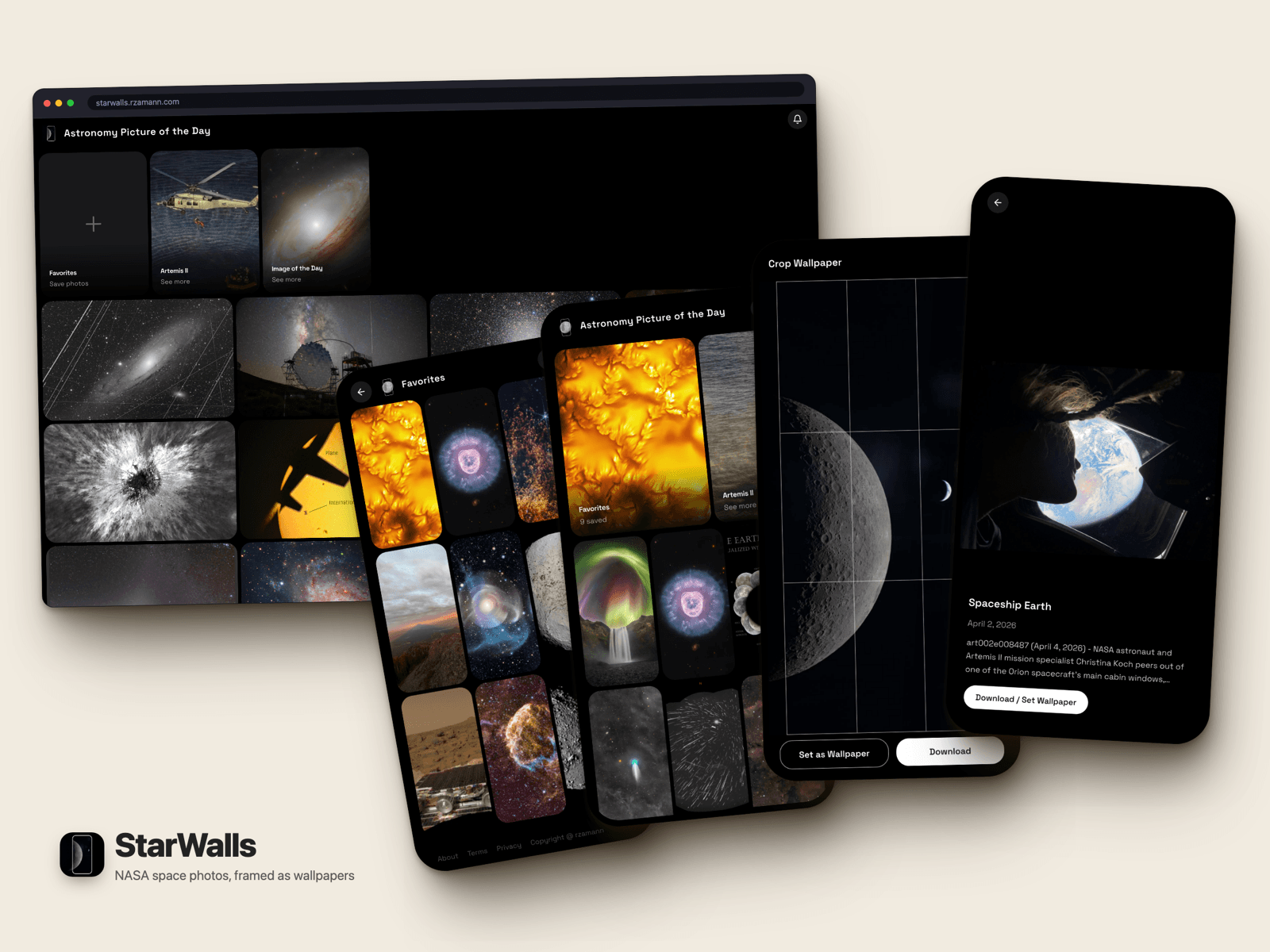
I wanted a better way to browse NASA photos on my phone and save them as wallpapers. NASA has the APOD API, the Image of the Day RSS feed, and the full Images API — tons of great content — but no mobile interface that makes it easy to frame and download a shot for your lock screen. So I built one.
What it does
- Infinite-scroll gallery across three NASA sources — APOD, Image of the Day, and Artemis II.
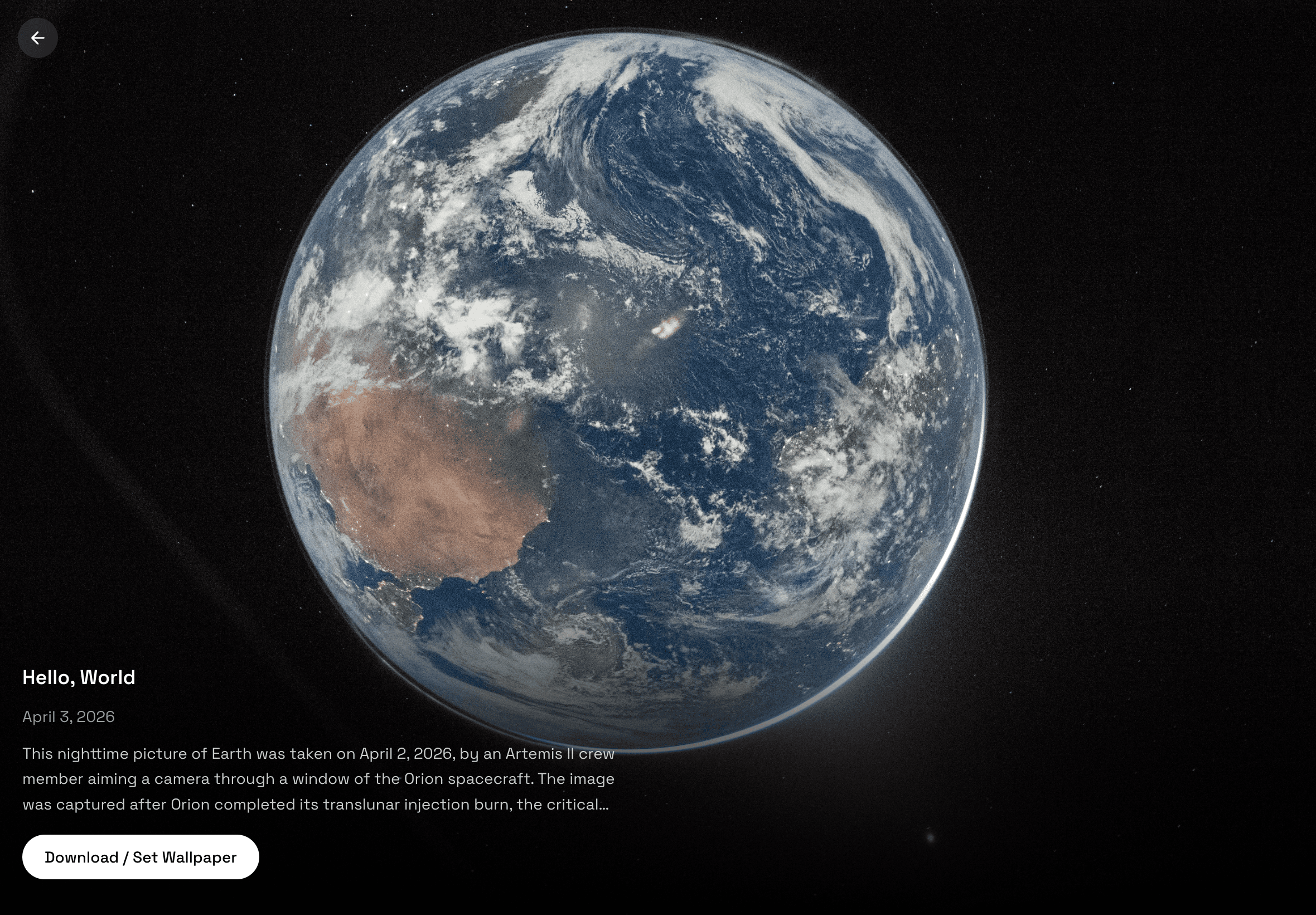
- Fullscreen viewer that morphs out of the grid thumbnail, with a vertical swipe strip for next/previous and a swipe right to close.
- Crop to your screen's aspect ratio and download the wallpaper.
- Favorites — heart any photo into a local collection, exported and imported as a plain JSON file.
- Daily push notification with the new Astronomy Picture of the Day.
- Automatic Pinterest publication of each day's photo.
- Installable as a PWA, and packaged as a Play Store TWA with a signed APK served at
/apk.
Not every NASA photo is public domain
This turned out to be the most interesting constraint in the project, and I found it late.
NASA's own imagery is public domain — but APOD is a curated feed, and most of what it curates comes from independent astrophotographers who keep their copyright. The API signals this with a copyright field. I measured it across recent entries: roughly three out of four APODs are copyright-retained, not public domain.
That reframed the whole app. Downloading, cropping, re-hosting, and pinning are all copies. Displaying a photo is not. So the catalog forks on a single isPublicDomain flag:
| Public domain | Copyright retained | |
|---|---|---|
| Gallery | Optimized through the image pipeline | Hotlinked straight from NASA |
| Download / crop | Yes | No |
| Pinterest pin | Yes | Never — a pin re-hosts the file permanently |
| Daily notification | Yes | Yes — the device fetches NASA's URL itself, so nothing is copied |
| Credit | NASA | Copyright © <photographer> |
The flag is set once at the API boundary and checked at every point where a copy could be made, including inside the automation that runs unattended at 14:00 UTC.
The signature is the licence
Serving full-resolution images through my own origin needs a proxy, and a naive proxy is an open one: anyone could pass a URL and have my domain re-serve someone else's copyrighted photo.
So proxy URLs are signed with HMAC-SHA256 on the server, and only the public-domain branch of the catalog ever mints a signature. The signature isn't just tamper protection — it is the rights token. No signature, no proxy, no copy. Widths are bucketed to seven fixed values so the signed surface stays small and the CDN cache stays warm.
An earlier version of the proxy also matched hostnames with endsWith("nasa.gov"), which happily accepts evilnasa.gov. Now it matches on a dot boundary and requires HTTPS.
Favorites
Stored in localStorage, read through useSyncExternalStore.
- The store hands React one cached array identity and only replaces it on a real mutation — returning a fresh array from
getSnapshotre-renders forever. - Each entry is a flat five-field record (
id,source,title,date,url), deliberately not the app's photo type. The photo shape keeps gaining fields; this blob is persisted to disk and has to stay readable by future versions. Anything else a view needs, it re-fetches. - Export writes a documented envelope —
{ format: "starwalls.favorites", version, exported, count, items }— so a collection is portable, diffable, and restorable, not locked in a browser profile. - Import validates every record and reports how many it skipped rather than failing the whole file.
- The favorites page's empty state is an import target, so a fresh device starts from a file.
Push notifications without a server or a database
Standard VAPID Web Push — no Firebase, no FCM project, no google-services.json. The page inside the TWA runs in the user's Chrome, so subscribing there is an ordinary browser subscription; the Android manifest only delegates display, so the notification wears the app's icon and name. On iOS it works from 16.4+, but only for a web app added to the Home Screen.
The subscription list needed somewhere to live. It has no queries, no relations, and no per-user state — a hosted database would have been the most expensive part of an otherwise free project. So the store is a JSON file in the repo, written through the GitHub contents API: base64 payload, blob SHA for optimistic concurrency, retry on the 409. The daily job that reads it already runs in that repo.
It sits behind a PushStore interface, so swapping in a real backend later is one class. Dead endpoints (404/410) are pruned on send.
Daily automation
One GitHub Action, no dependencies installed — the script uses global fetch only.
- Fetches the day's APOD, sends the push, and posts the pin.
- The two run under
Promise.allSettled, so a Pinterest outage can't take the notification down with it. That bug was real: a Pinterest failure used to abort the whole job. - Pinterest access tokens expire after 30 days, so the job holds a refresh token and mints a fresh access token every run. Pinterest rotates the refresh token on each refresh, so the workflow writes the new value straight back into the repository secret — the credential renews itself and never goes stale.
- The refresh runs every day even when the pin is skipped for copyright, because an unused refresh token still ages out at 60 days and a long run of copyrighted APODs would silently kill it.
Making it stop drifting on iOS
The fullscreen viewer used 100dvh. On iOS, dvh tracks the browser chrome as it collapses, so the photo would settle, then jump once the address bar shrank — after the open animation had already finished.
The fix is a hidden 100svh probe measured with a ResizeObserver. Every offset, threshold, and animation target reads that one pixel value, so a re-render re-issues an identical target instead of a slightly different one. The tradeoff is a black band where the chrome used to be, which is the right trade: it doesn't move.
The swipe strip had a subtler bug. Slides were rendered by position — previous, current, next — so advancing re-pointed an existing <img> at a new source, and for a frame you saw the old photo. Slides are now keyed by photo ID, so React moves a slide between roles instead of re-pointing it, and the full-resolution image gets no src at all until img.decode() resolves.
Stack
| Layer | Tech |
|---|---|
| Framework | Next.js 16 (App Router, server components, ISR) |
| Language | TypeScript |
| Styling | Tailwind CSS v4 |
| Animation | Motion (motion/react) |
| Push | Web Push (VAPID), service worker |
| Automation | GitHub Actions, Pinterest API v5 |
| Android | Bubblewrap TWA, Digital Asset Links |
| Data | NASA APOD API, NASA Images API, NASA IOTD RSS |
| Testing | Vitest, Playwright |
No database, and nothing in the runtime that costs money at rest.
§Comments