.png&w=3840&q=75)
.png&w=3840&q=75)
.png&w=3840&q=75)
%20(1).png&w=3840&q=75)
.png&w=3840&q=75)
.png&w=3840&q=75)
Building StarWalls: A Space Photo Wallpaper PWA
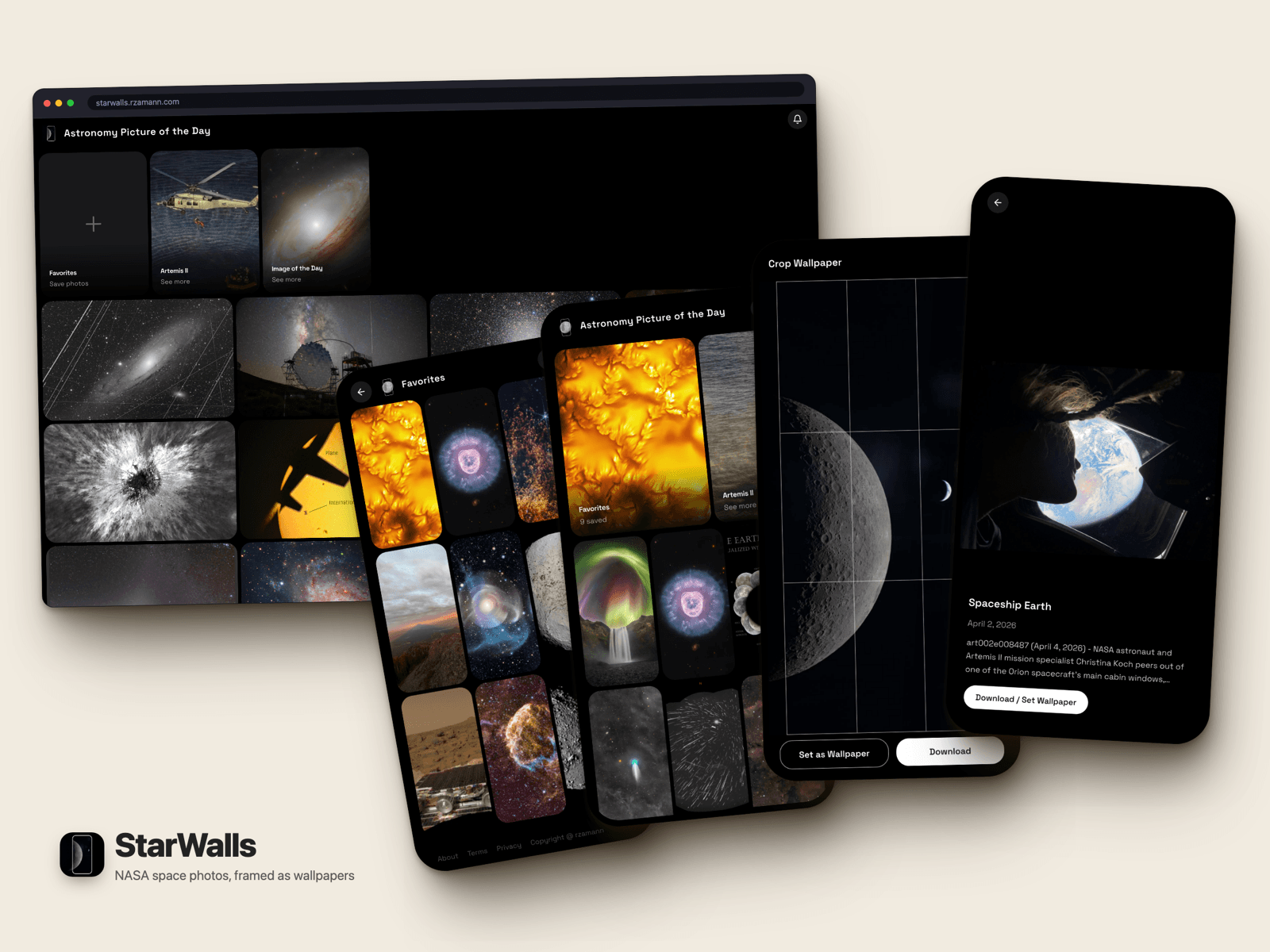
I wanted a better way to browse NASA photos on my phone and save them as wallpapers. NASA has the APOD API, the Image of the Day RSS feed, and the full Images API — tons of great content — but no mobile interface that makes it easy to frame and download a shot for your lock screen. So I built one.
Here's what I learned building it, including the parts that didn't work the first time.
The Stack
Next.js 16 App Router, Tailwind CSS v4, Framer Motion. Three data sources: the APOD daily API, the NASA Image of the Day RSS feed, and the NASA Images API filtered for Artemis II mission photos.
The App Router was the right call mostly for ISR. The gallery's first page pre-renders at build time, so the initial load feels instant even on a slow connection. Server components handle the data fetching, which keeps the client bundle lean.
The Gallery
Infinite scroll with virtualization. The hook has a sentinel pattern: when initialPhotos is passed in as a prop from the server component, it skips the first client-side fetch entirely. Something like:
if (page === 1 && initialPhotos?.length) return;Without this, the client refetches page 1 after hydration, flashes the same content, and looks broken for a beat. The principle is bigger than the line: ISR'd data should be authoritative until something changes it, and the client has no business asking again on mount.
VirtuosoGrid was my first instinct for the grid virtualization. It doesn't SSR items — it needs the DOM to measure — so that wasted a round trip. Ended up with a simpler intersection-observer approach that plays better with ISR.
The service worker handles offline with stale-while-revalidate per resource type. API routes get short cache with background revalidation, images get a year-long immutable cache, navigation falls back to a cached shell when offline.
The Photo Detail — The Fun Part
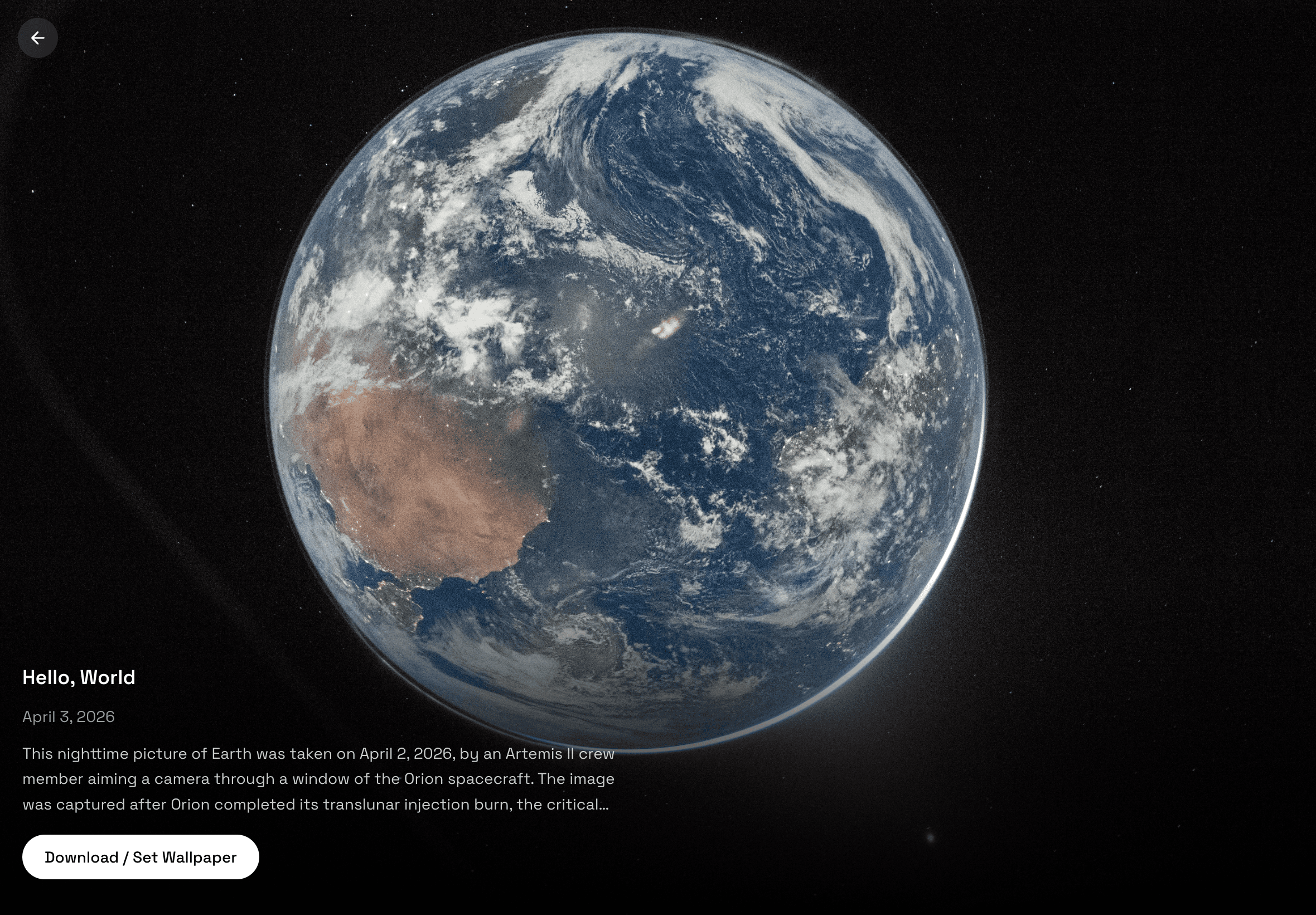
Clicking a thumbnail opens a full-screen detail view with a spring-based morph animation: the image expands from the thumbnail's bounding rect to fill the screen. The same swipe UX that drives the photo detail — the vertical strip, the gesture tracking, the isFilled zoom state — is also what powers TV Slideshow mode, so that infrastructure ended up doing double duty.
Three photos live on three slides sharing a single stripY MotionValue — swipe up for the next photo, swipe down for previous, swipe right to close.
I wrote this badly twice before it worked.
The three-slide strip isn't three separate components. It's one strip that translates vertically. Keeping a single MotionValue instead of individual animation states means the gesture tracking stays consistent — you're always moving one thing, not coordinating three.
The Bugs That Taught Me Things
The router re-render bug. I wanted the URL to update as you navigate between photos so deep links work. Used router.push(). This triggers Next.js page-level re-renders, which unmounts and remounts the photo detail component between cycles. The originRect — the bounding box captured on click that the morph animation needs — was getting wiped before the animation could start. The morph never played.
The fix was to stop treating it as navigation. The browser already exposes a way to change the URL without disturbing the React tree — the History API. The component never knows the URL moved; the share button still copies a deep link.
It felt wrong at first to step around the framework's router. But this isn't a page transition — it's an animation-driven UI state that happens to be reflected in the URL. Two different concepts, and conflating them was the bug.
The useSearchParams() drain. Any component that reads search params opts itself — and everything above it — out of static rendering. The fix is to push that read as far down the tree as possible and isolate it behind a Suspense boundary, so only the parts that actually depend on the URL pay the cost. Easy to miss until you check your build output and see what was supposed to be static suddenly marked dynamic.
Deep links to photos not yet loaded. Open the app on a link to photo #200 when the gallery streams 24 at a time and the auto-open guard finds nothing to open. The naive answer is to keep paging until you find it; the right answer is to admit defeat on the list and just fetch the photo by id. The list and the detail are different concerns — pretending one always contains the other was the mistake.
The Canvas CORS Rabbit Hole
The wallpaper cropper lets you frame a photo for a specific screen size, then download it. To do that I need to draw the image to a canvas and call toBlob().
NASA images don't set Access-Control-Allow-Origin headers. Drawing a cross-origin image to canvas taints the canvas, and toBlob() throws a SecurityError. The browser will happily display the image in an <img> tag, but you can't touch the pixel data.
The escape hatch is to put yourself in the middle: a route on your own origin that fetches NASA's image server-side and streams it back. The browser doesn't care that the bytes ultimately came from somewhere else — same origin, no taint, canvas works. The proxy is small enough to feel like cheating, and that's the point — the whole rule was about who served the bytes, not what's in them.
Second issue: navigator.share() with files. The share API only works inside the original user-gesture window, and that window quietly closes during your awaits. Proxy fetch, canvas draw, blob conversion — by the time you actually call share, the browser has decided you don't have permission anymore. The lesson here is more about JavaScript than about sharing: anything that depends on a user gesture has to happen synchronously with the gesture, or it's already too late. Treat the native share as a bonus, not the contract; a plain download link is the real interface.
PWA and Play Store
Full web app manifest with shortcuts, maskable icons, and screenshot slots for the Play Store listing. The service worker strategy per resource type matters: you don't want to cache API responses the same way you cache images. Images are immutable (NASA isn't editing that APOD photo from 2019), so a year-long cache is fine. API data is live, so short cache with background revalidation.
Shipping to the Play Store as a Trusted Web Activity is mostly an exercise in proving you are who you say you are. Android wants a signed declaration, served at a fixed path on your own domain, that links the installed APK to the website it wraps. Once that handshake is in place, the TWA opens straight into the PWA — no browser chrome, no install banner, just the app.
TV Mode
Adding ?tv to any gallery URL turns it into a kiosk slideshow. Photos advance automatically in zoom-fill mode every 15 seconds, looping back to the first photo at the end. It works on any gallery — /?tv, /artemis-ii?tv, whatever. Point a TV at it, walk away.
The URL design is composable. ?i=30 sets the interval in seconds. ?photo=2024-01-15 starts from a specific photo. These stack: /?tv&i=60&photo=2024-01-15 is a valid, shareable link that anyone can open and get the exact same slideshow. No login, no settings screen.
Space, Enter, or the middle button on a TV remote pauses and resumes. Arrow keys skip forward or back and restart the timer. Escape closes back to the gallery. The remote support wasn't extra work — the gallery already handled arrow keys for keyboard navigation, and that infrastructure carried over.
The implementation is simpler than it sounds. The 15-second autoplay is a setTimeout that resets on every photo change. That reset was already happening — the existing navigation strip uses id as a dependency to reset its position when the current photo changes. The slideshow timer just plugged into the same reactive pattern. No new state machine.
What made it easy was that isFilled — the zoom-to-fill toggle already in the photo detail — was already a first-class piece of state. TV mode just sets it to true on open and resets to true on every photo change. The swipe strip, the keyboard nav, the zoom state: all of it was already there. TV mode is about 40 lines of glue around existing infrastructure.
It's the kind of feature that emerges when you've built the core mechanics well enough that the edge cases are easy.
What I'd Do Differently
Separate URL state from UI state from day one. I conflated them and paid for it with the router bug. The URL is for sharing and history. The UI state is for the current session. They overlap but they're not the same thing.
Don't fight the router for in-component navigation. If it's a real page transition, use the router. If it's an animation-driven UI state change that happens to update the URL, use pushState.
Pick the animation library before designing the data flow. Framer Motion's AnimatePresence and usePresence require you to think carefully about component mount/unmount timing. If I'd thought about that earlier, the morph animation design would have been cleaner from the start instead of being refactored twice.
The app works well. Fast initial load, smooth animations, the cropper does what it's supposed to do. NASA's content is genuinely beautiful and having a clean way to browse and frame it for wallpapers was worth the yak shaving.
Code is on GitHub if you want to look at the proxy route or the sentinel pattern in more detail.
§Comments