Ovikkha Bookshelf
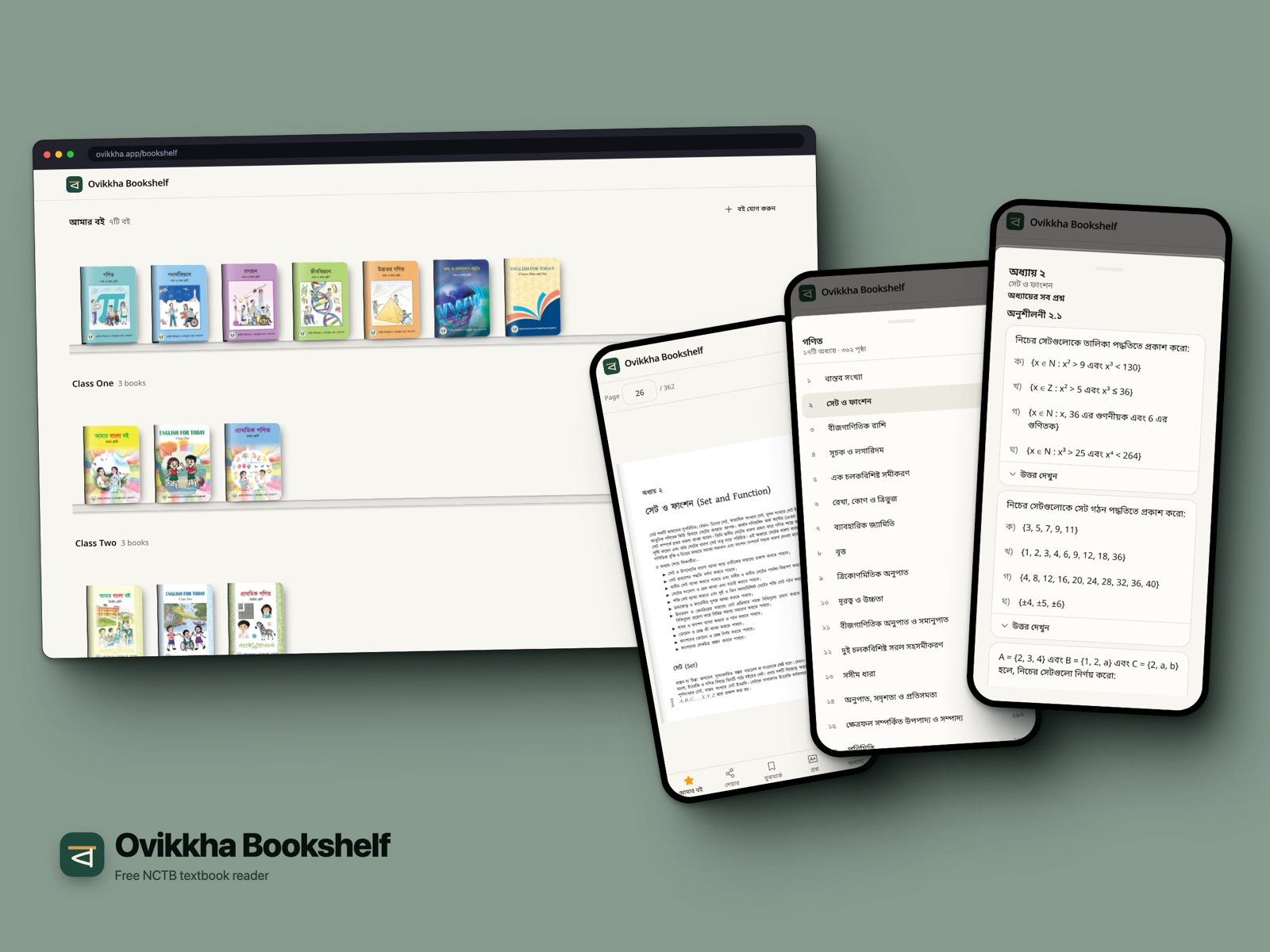
A free reader for Bangladesh's NCTB textbooks. Open a book and turn the pages like the paper one. No login, no account.
It came out of Ovikkha, my question-paper maker. To make questions from those books I already had every page of all 111 of them. Class 1 to HSC, 16,577 pages. Students and teachers read the same books on their phones anyway, mostly as huge PDFs from random sites. So I put the pages on a shelf.
It installs as its own app, with its own icon and name. A reader doesn't have to know the paper maker exists.
No PDFs
Production holds no PDF at all. Every page is rendered once into WebP, at 720px and 1440px wide, and lives on Cloudflare R2. The phone gets the 720 one. The 1440 one only loads when you zoom in.
Textbook pages have wide white margins. On a phone they waste a third of the screen. So I crop the body pages. 18 books are done so far, and the page URL carries the render version. A new crop is a new URL, so no old cache ever serves the wrong shape.
The first version flashed white on every turn. The next page hadn't arrived yet, or the browser was decoding it on first paint. Now pages load nearest first and get decoded before you can turn to them.
Your books, on your phone only
There is no account, so everything you keep lives in the phone's localStorage. The books on your shelf, the page you stopped at, your bookmarks. Open a book again and it opens where you left it.
Private mode in some browsers refuses localStorage writes. My first version just lost your bookmarks there, silently. Now the app keeps them in memory for that tab and still shows them.
Save for offline
Tap save and the whole book goes into Cache Storage, and the service worker serves it with no internet. Only the 720 pages. A typical book is about 7 MB, the biggest 26 MB.
Two things I found out the hard way:
- Chrome pads every opaque (no-CORS) response with about 7 MB of quota. A 300 page book would "use" 2 GB. So R2 has to send CORS headers, and the app never caches an opaque response.
- Browsers delete Cache Storage on their own. Safari does it after 7 days without a visit. But my "saved" flag lives in
localStorage, which survives. So a book could say saved and show blank pages. Now every load checks the first and last page are still there.
Built for a thumb
On a phone the chapter list was a 288px side panel. It covered most of the page and its close button sat in the top corner. Now it's a bottom sheet. Drag it down or swipe back, both close it.
Back is a swipe on Android, so every sheet you open is a history entry. Swipe back and the sheet closes, not the book.
From a page to a paper
Every question in the Ovikkha bank knows the page it's printed on. So the reader shows the questions from the page you're reading, and a student can practise a chapter's questions right there. A teacher can jump from a page straight into the paper maker with that chapter open.
Stack
- Next.js 16 (App Router), React 19 with the React Compiler
- Tailwind CSS v4
- Cloudflare R2 for the page images
- Cache Storage and a service worker for offline
- vaul for the bottom sheets
- Biome, pnpm
§Comments