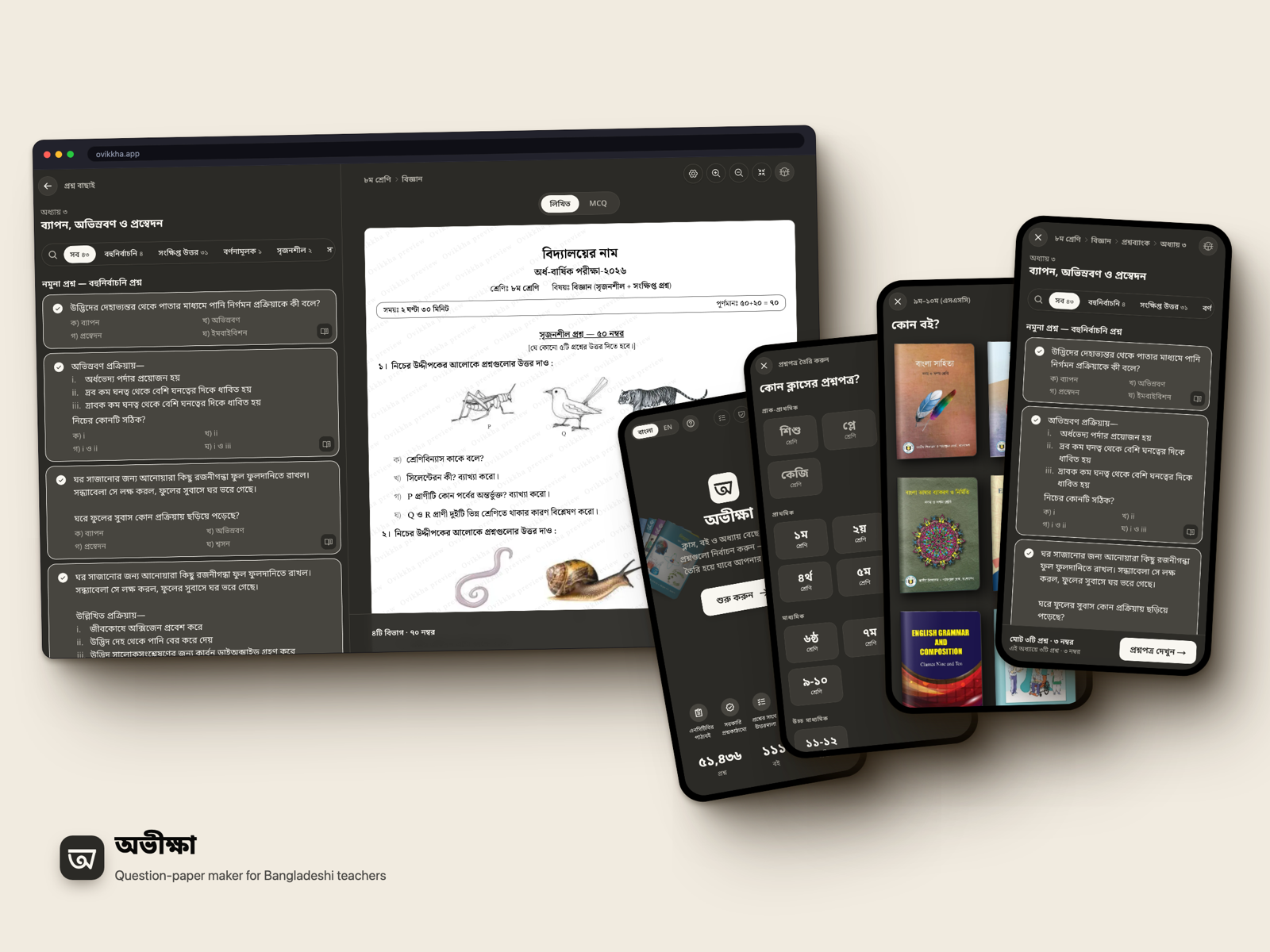

Ovikkha (অভীক্ষা)
A question-paper maker for teachers in Bangladesh. Pick a class, a book and a chapter. Tick the questions. Print the paper.
Every school here runs the same exams every year. Class tests, monthly tests, half-yearly, annual. The questions are already in the NCTB textbook. The slow part is putting them together into a paper with the right sections, marks and layout. That's an evening of typing and formatting, every term. I wanted it done in a few minutes, on a phone.
It started on 19 July 2026 with Class 5 English and Math. Today it covers 111 NCTB books from Class 1 to HSC: 1,419 chapters and 51,436 questions.
What a teacher does
- Pick the class, then the book.
- Open a chapter and tick questions. MCQ, short answer, creative (সৃজনশীল), whatever the book has.
- Pick the exam. Half-yearly, annual, monthly, a scholarship exam. The paper follows that format: sections, marks, time, how many to answer, and the MCQ sheet on its own page.
- Print, save a PDF or export to Word.
The answer key comes with the paper, numbered the same way. You can add your own question, or share the paper with another teacher as a link. And once a class's books are opened, the whole thing works without internet.
The paper has to look like the book
Teachers know these textbooks page by page. A paper that looks different feels wrong to them, even when every question is right.
So the layout copies the book. A passage or a picture sits once, above all the questions that use it. A caption goes under its figure. When I wasn't sure, I opened the book and did what it does.
The same paper gets drawn five times: on screen, in print, as a thumbnail, as the answer key and as a Word file. Early on each one made its own small decisions, and they drifted apart. Now every layout rule is decided once and all five read it. If I change how a passage prints, the Word file changes too.
Built for a phone
I designed for an Android phone first. Desktop came later.
On a phone, back is a swipe. My first wizard kept every step in one page state, so a swipe back left the page and took the teacher's whole selection with it. I shipped that bug twice (on the payment screen and in the wizard). Now every step is a browser history entry, and the back button in the app just calls history.back().
Steps change instantly. No spinners, no progress bars. The next step renders from data already in memory and the URL updates with pushState. Every URL is still a real static page, so a reload or a shared link lands in the same place.
On a laptop the previous step stays open on the left at phone width. So you see the picker beside the paper. Tick a question and the paper scrolls to where it landed. 1600px and wider gets three panes.
A hyphen broke it four times
Class codes look like c8. Except SSC is c9-10 and HSC is c11-12. I split on the first hyphen in four different places. All four failed silently. One build script skipped the HSC files, so a book shipped with no answers. And the paper page read HSC as class 0. So HSC teachers got offered a primary scholarship exam and lost their ICT MCQ format. The fix: match the number at the start (/^c(\d+)/) and never split.
Mostly static
The build makes 2,871 static pages, one for every class, book, chapter and step. Only what belongs to one teacher (drafts, account, shared papers) goes through API routes. So a teacher on a slow connection mostly gets a cached page.
Ovikkha Bookshelf
A free textbook reader for students and teachers came out of the same data. It's an installable app on its own, so it gets its own page.
Stack
- Next.js 16 (App Router), React 19 with the React Compiler
- Tailwind CSS v4
- SQLite locally, Turso in production, Drizzle ORM
- Better Auth for Google sign-in
- Motion for the animations
- A service worker for offline
- Biome, pnpm
§Comments